shadcn Hover Card
For sighted users to preview content available behind a link. Preview it in Figma or edit it in DS Manager with your own tokens.
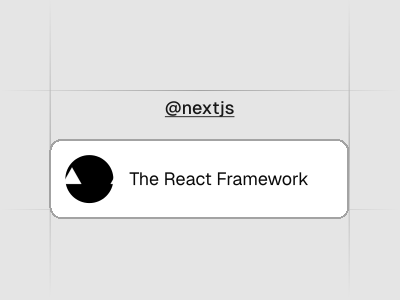 Loading the Figma preview…
In the Figma kit
Trigger and content with side and alignment options. The Figma component uses the same variant and size names as the React code, so the design maps directly to the component in your project.
Figma kitReact8 stylesLast updated 12 Mar 2026
Hover Card component for shadcn/ui in Figma
A Hover Card lets users preview content behind a link by hovering. It’s perfect for showing author bios, product details or link previews without taking users away from the current page. The card uses the kit’s shadows and rounded corners and appears after a brief hover delay for an elegant feel.
Related components
FAQs
What kind of content can the hover card show?
It can display previews of articles, profiles or media; embed images and text to give context before clicking.
Can I control the delay before the card appears?
Yes; adjust the hover delay to appear instantly or after a brief pause.
Is the hover card accessible for keyboard users?
Provide focus and blur triggers so users can open the card via keyboard navigation.
How do I style the hover card?
Customize background, border radius and shadows to complement your UI.